
| Made for: | Dispatchers |
Category: |
|
| Included in: | All subscription tiers | Knowledge Base: | - |


1. Why the Dispatch Module is getting a makeover
1. Why the Dispatch Module is getting a makeover
We know that in a fast-paced environment, situational awareness is vital.
This does not only hold true for the pilots in the cockpit: For the Dispatch team, every single click counts. Nothing can be overlooked or forgotten, and decisions often need to be made quickly yet with confidence.
This is why this Dispatch Facelift aims to make it easier to monitor what's important, navigate, and see all the relevant information at a glance - improving quality (and fun at work), reducing errors, and helping you feel less tired at the end of each shift.
2. About
The upgraded interface features a new panel-style design that adapts to different screen sizes and content lengths. Highlights include the new Crew list tables, the passenger overview, a cleaner look for the service provider panels, a redesigned post-flight panel, and the new FRAT panel.
But no worries - only the look has changed. Every button does what it did before, so your team can carry on working as usual.
Curious? Here’s a sneak peek at what the Dispatch Module will look like!
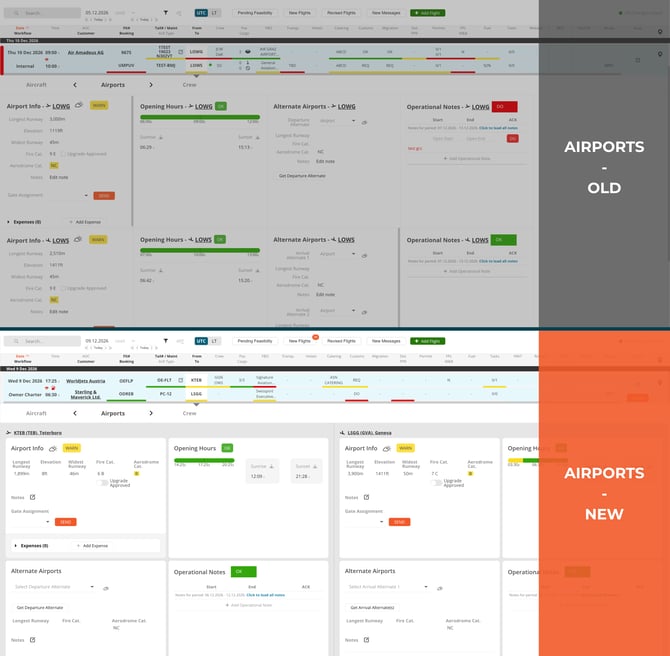
Airports
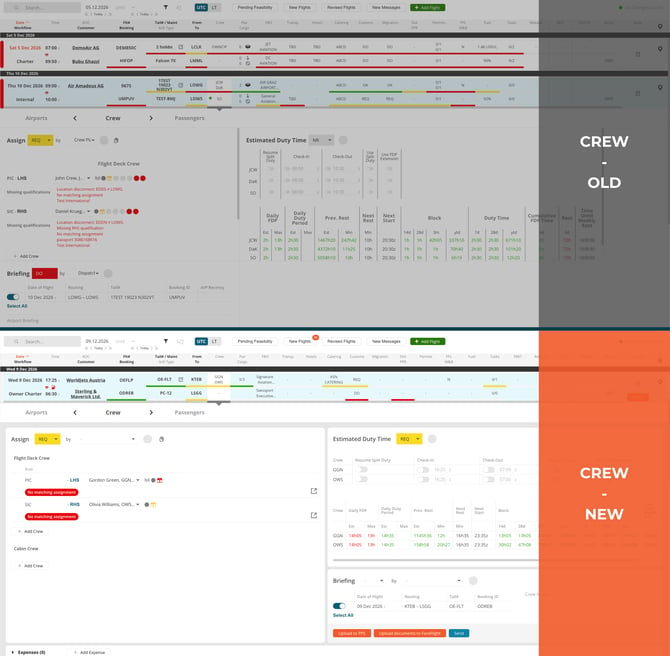
Crew
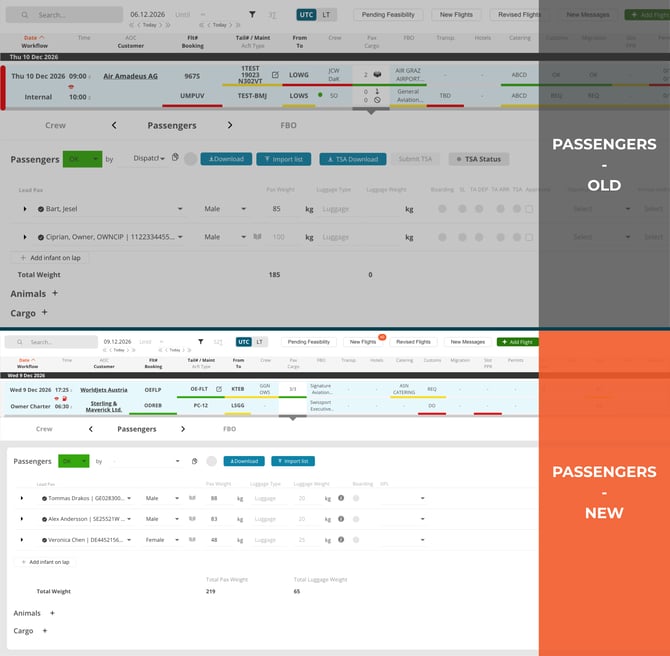
Passengers
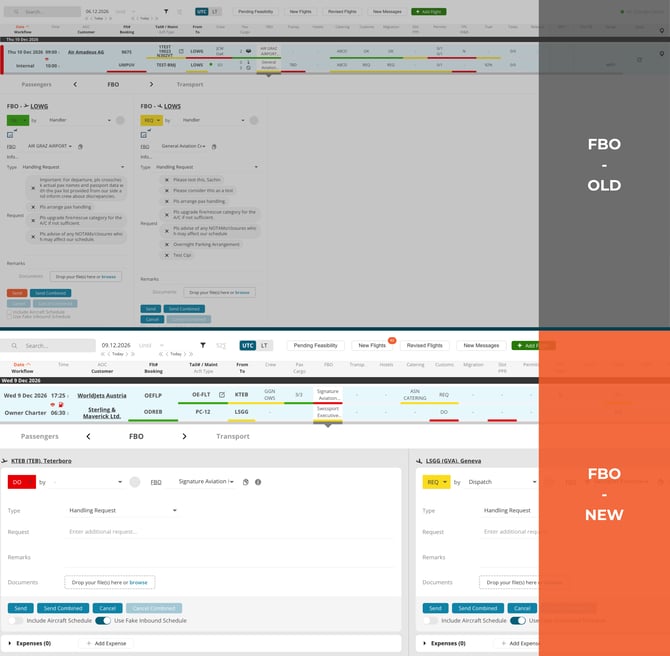
FBO
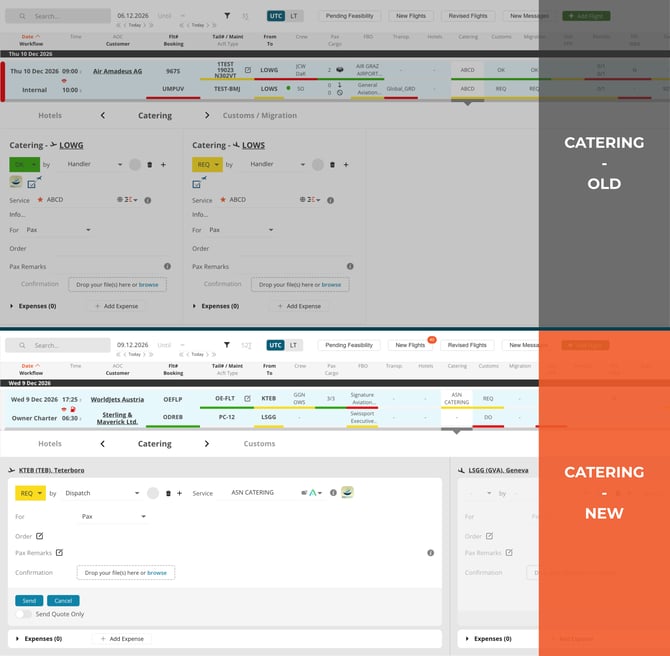
Catering
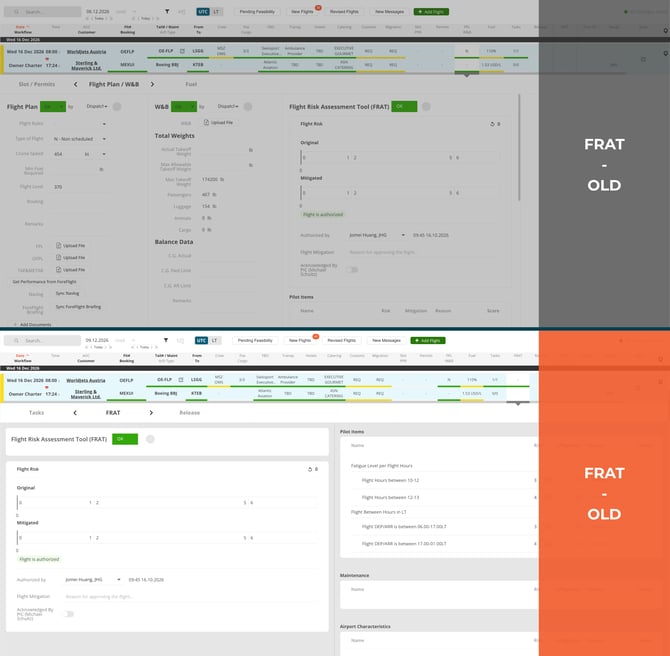
FRAT
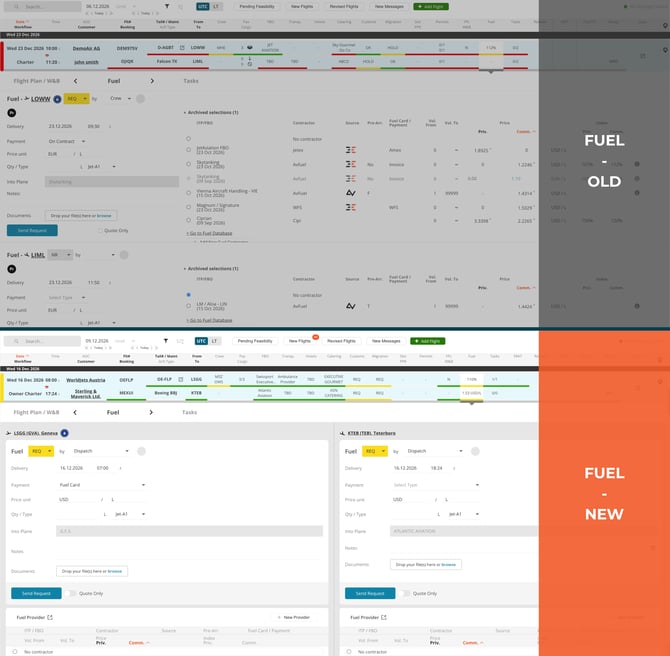
Fuel
3. Some benefits at a glance
- See more at a glance without hunting through crowded screens.
- Know immediately whether you are looking at departure or arrival details. Departure details are always on the left, and arrival details are always on the right.
- Hover over the info icon to see FBO details, notes for the catering company, and more. There is no need to switch screens or sift through an overload of information on the panel itself.
- Use FL3XX on smaller screens without having to adjust the zoom.
- ...and more!
4. FAQs
4.1 Are there any changes to the functionality of the buttons, etc.?
No, only the interface has changed. Everything else will continue to work as usual.
4.2 When will the new look of the Dispatch Module be available?
For our app.fl3xx.us environment, the Dispatch Facelift will be available starting 5 November 2026. For our app.fl3xx.com environment, the facelift will already be available starting 4 November 2026.