
1. About
2. Features
3. Details
3.1 Ground Handling (FBOs) & Catering Providers
3.2 Opening Hours
5. Adding or Updating Airport Information
6. Creating an aviowiki Account
8. Updating an Existing Airport

1. About
This integration is built into FL3XX and requires no activation. It is available for immediate use as part of the standard FL3XX platform.
aviowiki provides detailed airport, FBO, and aviation data through APIs and an online platform. Integrated with FL3XX, it delivers up-to-date information directly into workflows, enhancing flight planning, route optimization, and operational efficiency for private and commercial aviation.
2. Features
FL3XX offers seamless integration with aviowiki. The integration provides airport data, including opening hours, runway length and width, and other airport parameters:
-
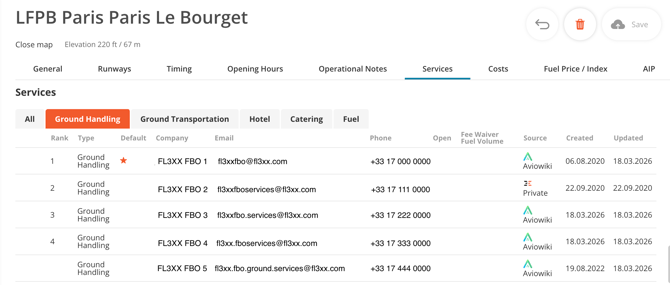
Ground handling (FBO) and catering provider information for each airport (airports will be updated gradually throughout March 2026).
- FL3XX runs feasibility checks based on continuously sourced and updated airport data.
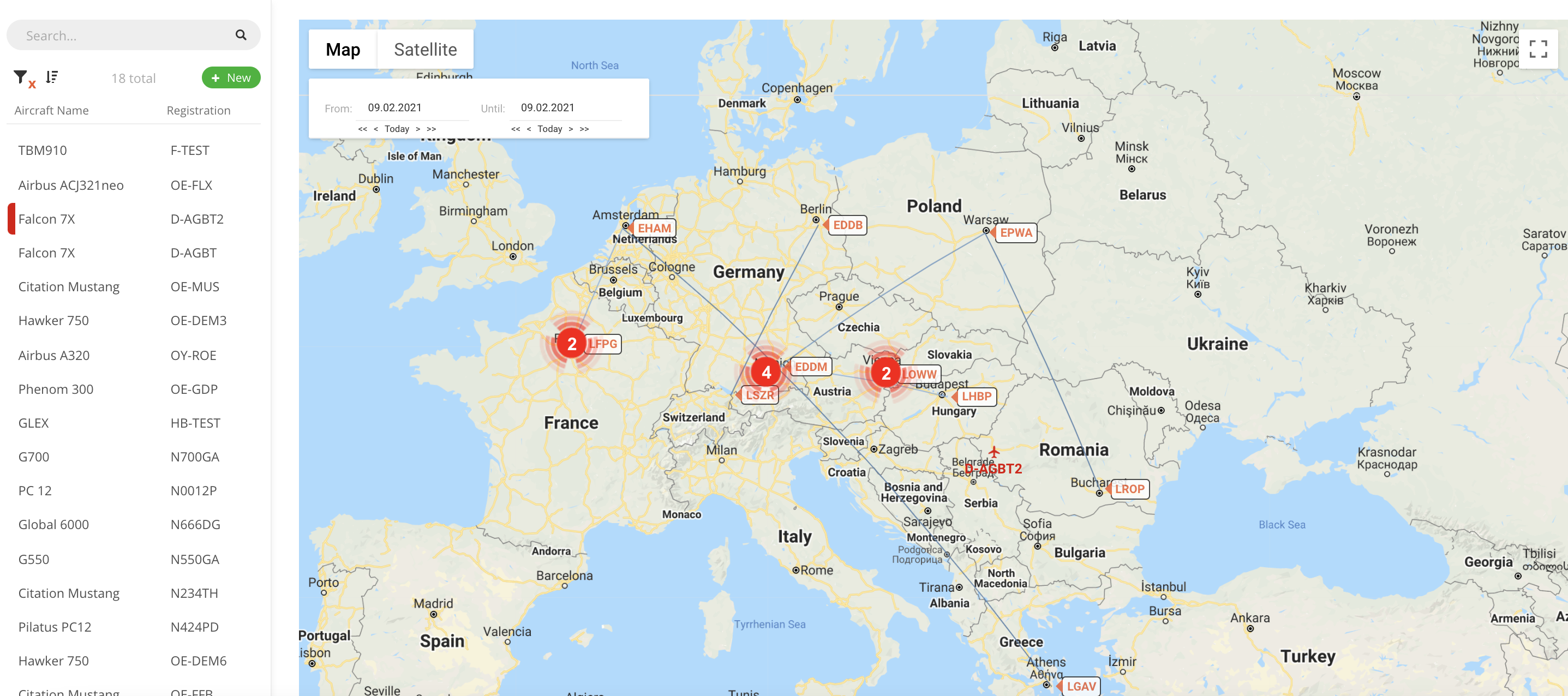
- Aircraft live positioning based on ADS-B (coverage map).
3. Details
3.1 Ground Handling (FBOs) And Catering Providers
The list of ground handling (FBO) and catering providers, along with its details, is updated automatically once per day.
The sorting order of service providers in FL3XX is as follows:
-
Your Airport Default (if applicable)
-
Your ranking (if applicable)
-
Featured listings in aviowiki (if applicable)
-
Alphabetical order
3.2 Airport Opening Hours & Alerts
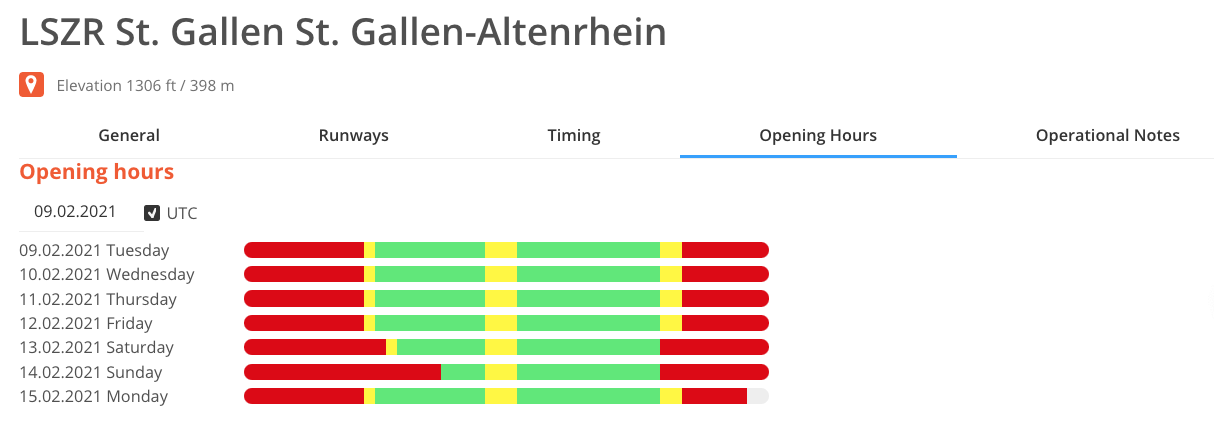
- Airport opening hours are shown in the airport page
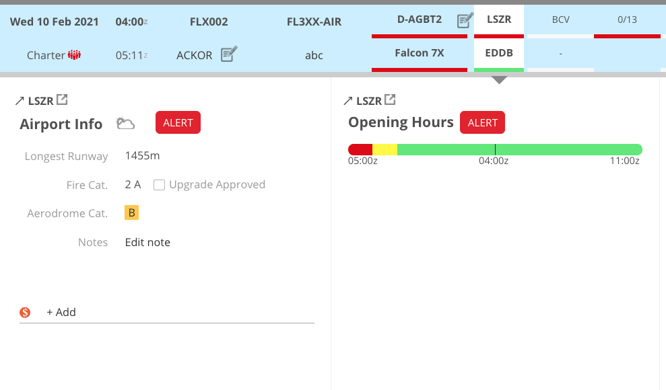
- Opening hours are also shown in dispatch panel.
- When the scheduled flight time falls outside of the airport opening hours, alerts will be shown.
- Yellow in cases of restrictions (e.g. PPR, Noise Restriction)
- Red in cases where the airport is closed for normal operations (exceptions for Medevac may exist).

3.3 Runway Lengths & Alerts
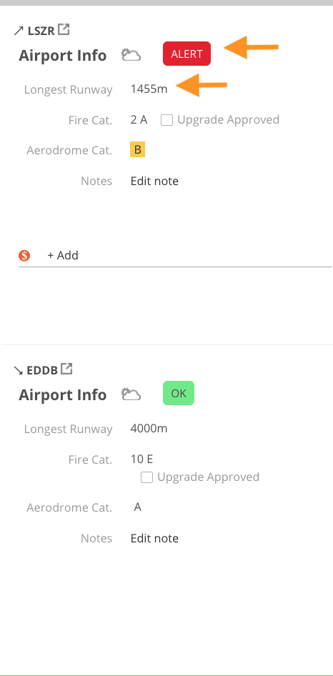
- Runway lengths are shown in the airport page

- The runway data is also used for feasibility check and will shown in the dispatch panel, together with the alerts (if any)
4. Aircraft Live Positioning
- Aircraft live positioning is shown on the map in the aircraft page
5. Adding and Updating Airport Information in aviowiki
To add a new airport that does not already exist, or make changes to airports, users should submit the airport data directly to aviowiki. From there, the airport information will be verified by the aviowiki team and published to the database. In just a matter of seconds the airport or change will become available in the user's FL3XX.
To make changes, users must create a new account. The account is free and only requires a name and email address for creation. Your name and email address are only required to provide aviowiki with a point of contact if further questions arise about your contribution.
6. Creating an aviowiki Account
Once you have created your free account, you can begin making updates and adding new airports following the demo videos below:
7. Creating a New Airport
8. Updating an Existing Airport