
Being able to define default reporting times for specific Roster types allows you to:
-
Add standard briefing time before a duty.
-
Add standard debriefing time after a duty.
-
Automatically calculate total duty time.
-
Adjust reporting times when needed.
This is useful for travel duties, ground duties, or any roster item that needs to start earlier or finish later than the scheduled time.
1. Activation
The Show Reporting Time setting can only be enabled or configured by contacting support@fl3xx.com.
2. Access & Setup
Step 1: Configure Reporting Time in Roster Types
Settings → Roster Types.
Each Roster Type includes a toggle called "Show Reporting Time". Turn this on if the duty requires briefing or debriefing time.
Settings:
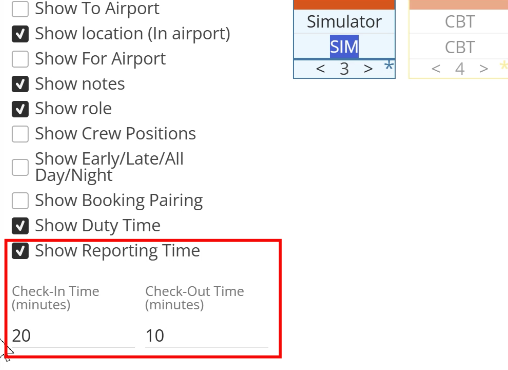
✅ When enabled, you can enter:
- Default Check-In Minutes
- Default Check-Out Minutes
These values are applied automatically every time this Roster Type is used.
Example
- Check-In: 20 minutes
- Check-Out: 10 minutes
❌ If the box is not checked:
- Reporting time is not applied.
- No additional minutes are added to the duty time.
Roster:
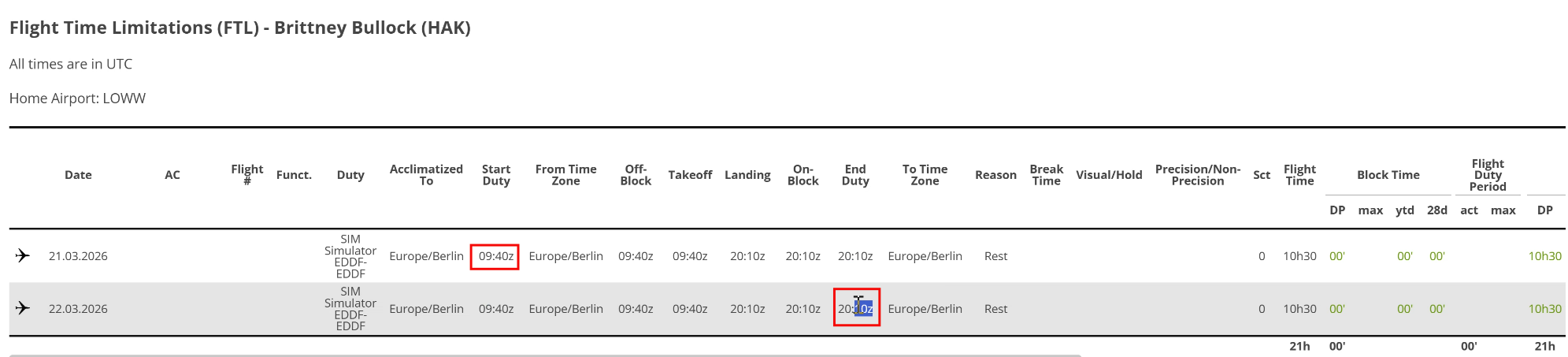
FTL report
Step 2: How Duty Time Is Calculated
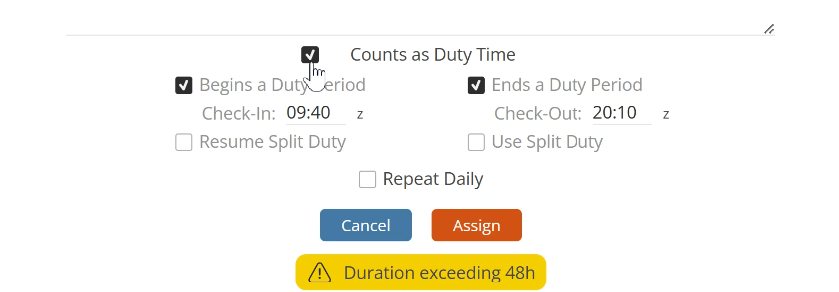
Reporting time is added only when "Count as Duty Time" is selected. If this option is not selected, no reporting time is added.
Reporting time affects duty calculation only.
What Time Does the System Use?
The system calculates reporting time based on:
- Actual Begins/Ends time, if available
- Scheduled Begins/Ends time, otherwise
Actual times always take priority.
Example
Scheduled duty:
- Begins: 12:00
- Ends: 18:00
- Check-In: 20 minutes
- Check-Out: 10 minutes
Calculated duty time:
- Starts at 11:40
- Ends at 18:10
The scheduled times remain visible as 12:00–18:00.
Step 3: Manual Adjustments
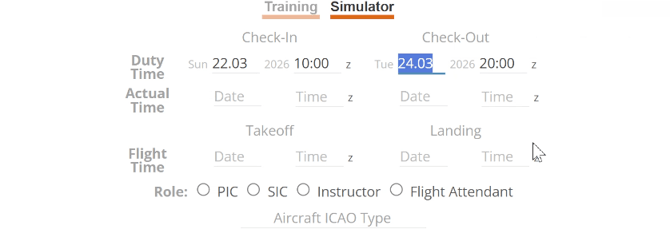
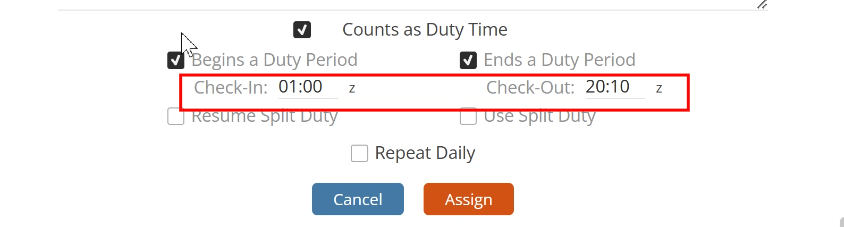
You can adjust reporting time for a specific duty.
To do so, navigate to the duty assignment window:
- Edit the Check-In time
- Edit the Check-Out time
Your manual entries override the defaults, providing flexibility when operational needs differ from the standard setup.
⚠️ Important Rules
- Reporting time applies only if the duty counts as duty time.
- Actual times override scheduled times when available.
- Defaults are defined per Roster Type.
- Manual overrides are always allowed.
- Scheduled and actual display times do not change.